
Accueil
-
Blog & Actualités
-
Comment choisir un écran MIPI DSI haute luminosité pour les applications industrielles Raspberry Pi
Comment choisir un écran MIPI DSI haute luminosité pour les applications industrielles Raspberry Pi
2026-05-28
00:00
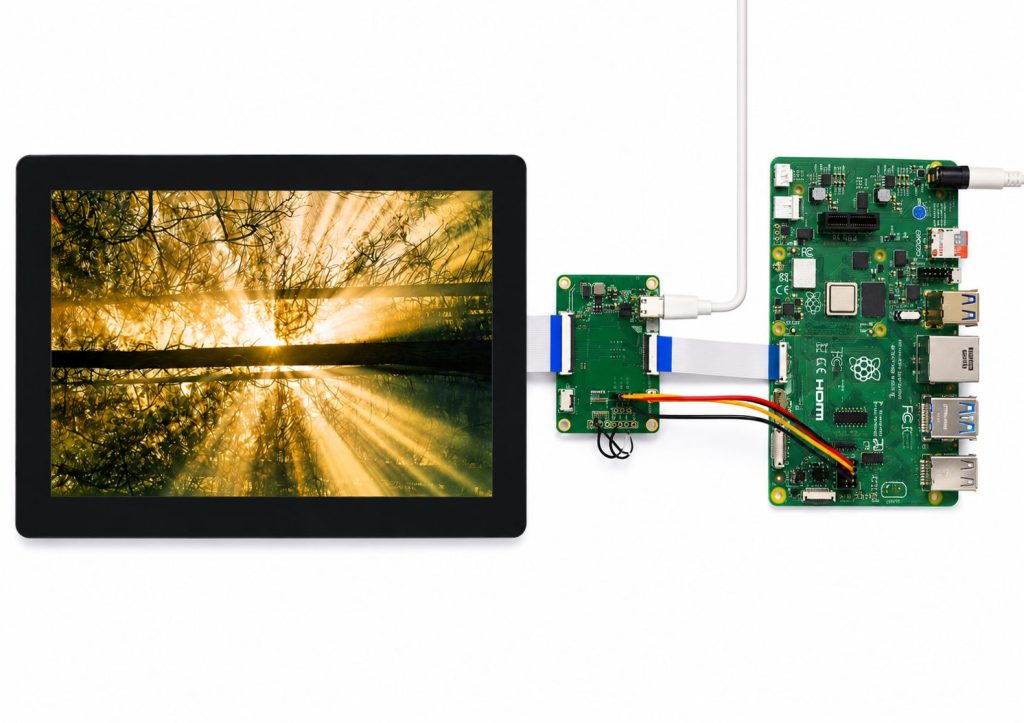
Choisir un Écran MIPI DSI haute luminosité pour Raspberry Pi Il ne s'agit pas seulement d'augmenter la luminosité de l'écran. Dans les applications industrielles, la luminosité influe sur la lisibilité, la réactivité tactile, la dissipation thermique, la conception du boîtier et l'expérience utilisateur globale. Un écran parfaitement lisible sur le bureau d'un ingénieur peut devenir difficile à lire sous l'éclairage d'un entrepôt, dans l'habitacle d'un véhicule, près d'une fenêtre ou dans un terminal d'inspection extérieur.
Pour les acheteurs B2B, la question essentielle n'est pas de savoir si l'écran s'allume pendant les tests. Il s'agit plutôt de savoir s'il restera lisible, stable et fonctionnel une fois intégré à un produit commercial. Les appareils portables industriels, les panneaux de commande intelligents, les instruments médicaux, les équipements de test, les terminaux de contrôle d'accès et les bornes interactives nécessitent souvent un écran capable de supporter une forte luminosité ambiante et une longue durée d'utilisation.
L'interface MIPI DSI est souvent privilégiée pour la conception d'écrans compacts pour Raspberry Pi, car elle permet de réduire le câblage et d'obtenir une structure interne plus épurée. La gamme d'écrans pour Raspberry Pi de Kadi Display comprend des modules TFT et tactiles conçus pour les applications embarquées, industrielles et compactes, avec une seule connexion FPC prenant en charge la sortie vidéo, la commande tactile et l'alimentation.
Choisissez le niveau de luminosité approprié
300 nits pour les appareils embarqués en intérieur
Un écran Raspberry Pi de 300 nits peut convenir aux équipements d'intérieur, aux instruments de laboratoire, aux petits systèmes de contrôle et aux appareils nécessitant un éclairage stable. Par exemple, Kadi Display propose un écran LCD TFT IPS MIPI DSI de 7 pouces (1024 × 600 pixels) pour Raspberry Pi, offrant une luminosité de 300 nits, une connexion par entrefer et une interface tactile I2C.
Ce type d'écran est un choix judicieux pour une utilisation dans les bureaux, les armoires, les bancs d'essai ou les panneaux intérieurs où les reflets sont limités. Il contribue également à réduire la consommation d'énergie et la chaleur. En revanche, il n'est pas optimal pour une utilisation en extérieur ou dans des environnements très lumineux.
800 nits pour les usines, les véhicules et les espaces intérieurs lumineux
Pour les chaînes de production, les terminaux embarqués, les scanners d'entrepôt et les équipements semi-extérieurs, une luminosité de 800 nits est souvent préférable. Elle offre une meilleure visibilité lorsque l'écran est exposé à un éclairage zénithal intense ou à la lumière indirecte du soleil.
Offres de Kadi Display un écran LCD TFT IPS MIPI DSI de 7 pouces (800×480 pixels) Pour Raspberry Pi, avec une luminosité de 800 nits, un collage optique OCA, un angle de vision typique de 80/80/80/80, une interface tactile I2C, une température de fonctionnement de -20 °C à 70 °C et une température de stockage de -30 °C à 80 °C. Ces caractéristiques sont essentielles pour les équipes d'approvisionnement car elles permettent de faire le lien entre le choix de l'écran et les conditions réelles d'utilisation, et non pas seulement avec les tests sur échantillon.
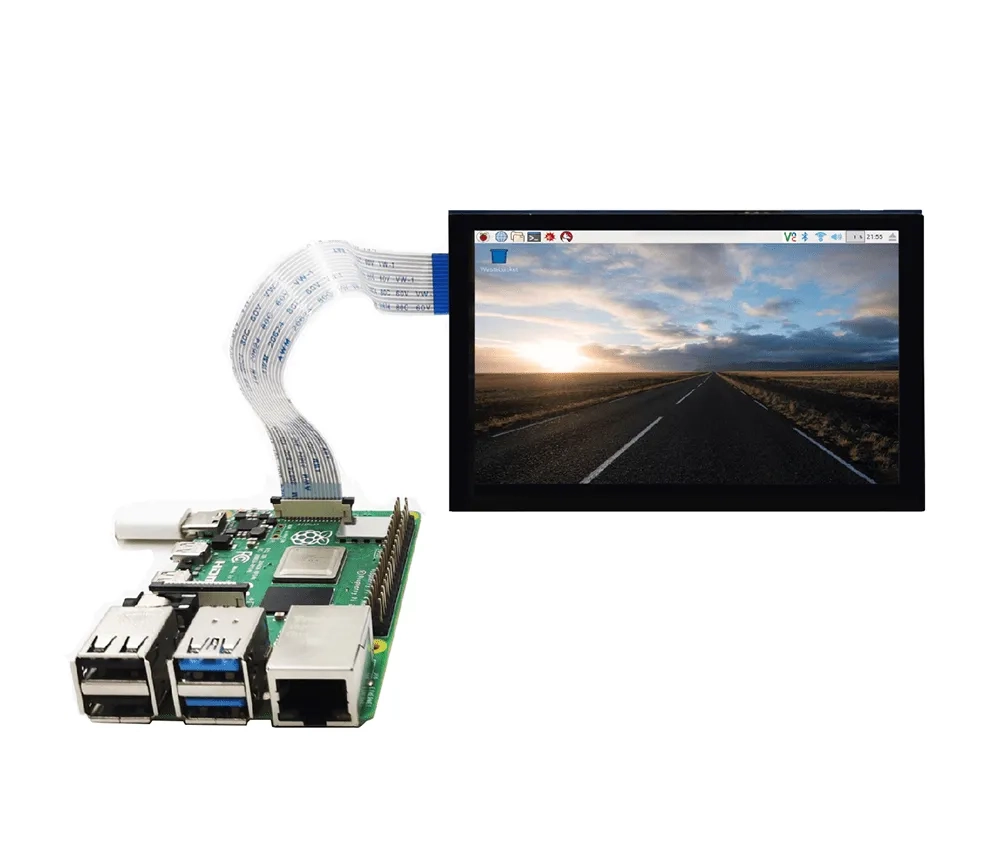
1000 nits pour les appareils extérieurs et exposés au soleil
Un écran Raspberry Pi de 1 000 nits est plus adapté aux instruments portables d'extérieur, aux outils d'inspection portables, aux bornes interactives exposées au soleil et aux appareils de terrain compacts. Kadi Display propose des écrans MIPI DSI de 5 pouces (800 × 480 pixels) pour Raspberry Pi, offrant une luminosité de 1 000 nits, un collage optique OCA, un circuit intégré de contrôle ST7262 et une interface tactile I2C.
Lorsque l'écran est utilisé en plein soleil, la luminosité ne doit pas être le seul critère d'évaluation. Le collage optique, la vitre de protection, l'angle de vision, la conception du rétroéclairage et la structure thermique influent tous sur le résultat final.
Vérifiez la compatibilité MIPI DSI avant de commander.
Le nom de l'interface ne suffit pas.
Un écran tactile MIPI DSI pour Raspberry Pi est différent d'un moniteur plug-and-play classique. L'interface doit être compatible au niveau de la synchronisation de la dalle, du nombre de voies DSI, du circuit intégré de pilotage, du brochage du connecteur, de l'alimentation et de la configuration logicielle. L'article technique de Kadi Display précise que l'interface MIPI DSI pour Raspberry Pi n'est pas plug-and-play comme l'HDMI et nécessite une attention particulière au protocole DSI, aux pilotes et à la configuration.
Avant de prendre une décision finale concernant l'affichage, les ingénieurs doivent examiner le processus de connexion de base dans Comment connecter un écran LCD MIPI DSI à un Raspberry Pi ?Ce guide interne constitue une référence utile pour vérifier le sens des câbles, la configuration de l'affichage et les exigences des pilotes.
Interface tactile et assistance logicielle
De nombreux projets industriels d'écrans tactiles Raspberry Pi utilisent le protocole I2C car il permet de conserver une structure compacte. Il est indispensable de vérifier le contrôleur tactile, la broche d'interruption, la broche de réinitialisation et le pilote logiciel avant de commencer le routage du circuit imprimé ou la fabrication du boîtier. Si l'écran fonctionne mais que la dalle tactile ne répond pas, le problème peut provenir de la détection I2C, du chargement du pilote ou du mappage des coordonnées plutôt que de l'écran LCD lui-même.
Considérer le collage optique et la conception mécanique
Pourquoi le collage optique OCA est important
Une luminosité élevée ne résout pas toujours un problème de lisibilité. Si l'écran présente un large espace d'air entre l'écran LCD et la vitre de protection, les reflets peuvent réduire le contraste en environnement lumineux. Le collage optique OCA contribue à réduire les réflexions internes et améliore la netteté perçue de l'image.
Pour les panneaux de commande industriels, les appareils extérieurs et les terminaux de véhicules, le collage optique peut également renforcer la robustesse du module. Il est particulièrement utile lorsque le produit nécessite une surface avant plus lisse, une meilleure réactivité tactile et une visibilité accrue en conditions d'éclairage irrégulières.
FPC, verre de protection et ajustement du boîtier
Un bon module d'affichage pour Raspberry Pi doit être compatible avec l'appareil final, et pas seulement avec le banc d'essai de développement. L'orientation du circuit imprimé flexible (FPC), la longueur du câble, les trous de fixation, l'épaisseur de la vitre de protection, la structure de l'écran tactile et l'espace disponible avec le boîtier doivent être vérifiés dès le début. Cela permet de réduire les modifications nécessaires après le premier prototype.
Pour un prototype unique, un écran standard peut suffire. En revanche, pour un appareil commercial, le routage FPC personnalisé, une luminosité élevée, le collage optique et un approvisionnement stable en lots deviennent primordiaux.
À propos de Shenzhen Kadi Display Technology., Ltd.
Shenzhen Kadi Display Technology., Ltd. est un fabricant professionnel d'écrans basé à Shenzhen, en Chine, spécialisé dans les solutions d'affichage industrielles et médicales. L'entreprise bénéficie de plus de 20 ans d'expérience en développement, d'un atelier de production de plus de 10 000 mètres carrés et de certifications de systèmes de qualité, notamment ISO 9001, ISO 14001, ISO 13485 et IATF 16949.
Kadi Display accompagne les entreprises B2B grâce à ses capacités de production intégrées et à son expertise en ingénierie d'écrans sur mesure. Pour les projets d'écrans industriels Raspberry Pi, cela inclut le choix de la luminosité, le collage optique OCA, l'intégration tactile, la conception de câbles FPC, la personnalisation du verre de protection, l'adaptation des interfaces et le support des projets OEM/ODM. La gamme de produits de l'entreprise comprend également des écrans TFT LCD, des écrans tactiles, des moniteurs, des écrans AMOLED, des écrans barre, des solutions embarquées et des écrans personnalisés.
Conclusion
Le choix d'un écran MIPI DSI haute luminosité pour Raspberry Pi doit être adapté à l'environnement d'utilisation. Les appareils destinés à une utilisation en intérieur peuvent se contenter de 300 nits, tandis que les équipements industriels, les systèmes embarqués et les produits exposés au soleil nécessitent souvent 800 ou 1 000 nits. La luminosité, la liaison optique, la compatibilité tactile I2C, la température de fonctionnement, la compatibilité DSI et la prise en charge de la production à long terme doivent être examinées conjointement. Pour les industriels, l'écran idéal est celui qui permet une transition fluide entre les tests de prototypes et la production en série stable.
Questions fréquentes
Q1 : De combien de nits ai-je besoin pour un écran Raspberry Pi utilisé en extérieur ?
A1 : Les appareils Raspberry Pi destinés à une utilisation extérieure nécessitent généralement une luminosité de 800 ou 1 000 nits, selon l’exposition au soleil, la vitre de protection, le collage optique, l’angle de vision et la conception du boîtier. Un écran de 300 nits est généralement plus adapté à une utilisation en intérieur.
Q2 : Quel est le meilleur écran MIPI DSI pour les applications industrielles Raspberry Pi ?
A2 : Le choix optimal dépend de la luminosité, de la taille, de la résolution, de l’interface tactile, du collage optique, de la température de fonctionnement et de la stabilité de l’alimentation. Pour une utilisation industrielle, un écran MIPI DSI haute luminosité pour Raspberry Pi avec interface tactile I2C et collage optique OCA est souvent un choix plus sûr.
Q3 : Pourquoi choisir le collage optique pour un écran tactile Raspberry Pi ?
A3 : Le collage optique réduit les réflexions internes et améliore la lisibilité de l’écran en pleine lumière. Il contribue également à renforcer la structure frontale, ce qui est utile pour les écrans tactiles industriels, les terminaux extérieurs et les appareils embarqués.
Q4 : N'importe quel écran MIPI DSI peut-il fonctionner avec un Raspberry Pi ?
A4 : Non. Un écran MIPI DSI doit être compatible avec l’interface matérielle du Raspberry Pi, la configuration des voies DSI, la synchronisation de la dalle, le circuit intégré de pilotage, le brochage du FPC, l’alimentation et la configuration logicielle. Il est impératif de vérifier la compatibilité avant d’acheter des échantillons ou de concevoir un boîtier.
Q5 : Quand une entreprise devrait-elle choisir un module d'affichage Raspberry Pi personnalisé ?
A5 : Un module d’affichage Raspberry Pi personnalisé convient lorsque le projet nécessite une luminosité élevée, une direction FPC spéciale, un verre de couverture personnalisé, une large plage de températures de fonctionnement, un collage optique, un approvisionnement à long terme ou une production par lots stable pour les équipements industriels.
Précédent
Écran tactile officiel Raspberry Pi vs écran industriel Raspberry Pi
Suivant
L'écran tactile MIPI DSI de votre Raspberry Pi ne fonctionne pas ? Guide de dépannage complet
Laisser un commentaire

Derniers blogs et nouvelles
- Industrial LCD EOL: What Happens from Pre-Announcement to Replacement Mass Production?
- Electronic Component Obsolescence Management for Industrial Displays: An OEM Guide
- How to Develop a Production Ready Custom Display Assembly TFT Module Touch Cover Glass FPC Bonding and Mounting
- 15 Pin vs 22 Pin Raspberry Pi DSI Connectors Cable Pinout and Compatibility
- Native MIPI DSI vs LVDS or HDMI Bridge: An OEM Display Architecture Decision Guide