
الصفحة الرئيسية
-
مدونة & أخبار
-
How to Choose Display Interfaces for Rugged Industrial HMI and Panel PC Projects
How to Choose Display Interfaces for Rugged Industrial HMI and Panel PC Projects
2026-07-10
11:04

Choosing the right rugged HMI display interface is not only a screen specification decision. For industrial HMI, panel PC, embedded display, medical device, outdoor terminal, and factory equipment projects, the interface affects mainboard compatibility, cable routing, EMI risk, touch integration, long lifecycle support, and future replacement. A display that looks correct by size and resolution can still delay sampling if LVDS mapping, MIPI DSI lanes, eDP support, HDMI controller requirements, or USB touch signals are not confirmed before purchase.
This guide explains how B2B buyers, engineers, equipment manufacturers, and repair teams can choose LVDS, MIPI DSI, eDP, HDMI, and USB interface options for industrial TFT LCD projects with fewer integration risks.
Why Display Interface Selection Matters in Rugged HMI Projects
Interface choice affects more than image transmission
A display interface carries visual data, but the project impact goes much further. In a rugged industrial HMI, the interface must match the mainboard output, enclosure layout, cable length, power design, touch structure, and installation environment. For example, a factory control cabinet may need stronger resistance to electrical noise, while a compact embedded HMI may need a short FPC route and lower pin count.
A buyer searching for “how to choose a rugged panel PC with LVDS MIPI DSI eDP HDMI USB” is usually not looking for a basic definition. The real question is whether the display module can work reliably with the selected controller board, operating system, cable structure, and long replacement cycle.
Common B2B failure scenarios
Several display integration problems appear only after sample testing. A panel may have the correct size and resolution, but the LVDS pin assignment may not match the mainboard. A MIPI DSI display may require lane number, timing, and initialization code confirmation before it can be lit. An HDMI request may actually need a controller board rather than a bare TFT LCD module. A touch display may use USB or I2C, but the enclosure, grounding, and cable route can still affect field performance.
For projects comparing only LVDS and MIPI DSI, the deeper technical comparison in LVDS vs MIPI for industrial TFT LCD displays can help clarify signal distance, EMC behavior, driver support, and integration risk.
LVDS, MIPI DSI, eDP, HDMI and USB: Which Interface Fits Which Project?
LVDS for stable industrial display connections
LVDS is commonly considered for medium and larger industrial TFT LCD modules, especially where the display is installed inside equipment with a certain cable distance between the mainboard and panel. It is often a practical option for factory HMI, rugged panel PC, legacy equipment replacement, and industrial automation terminals.
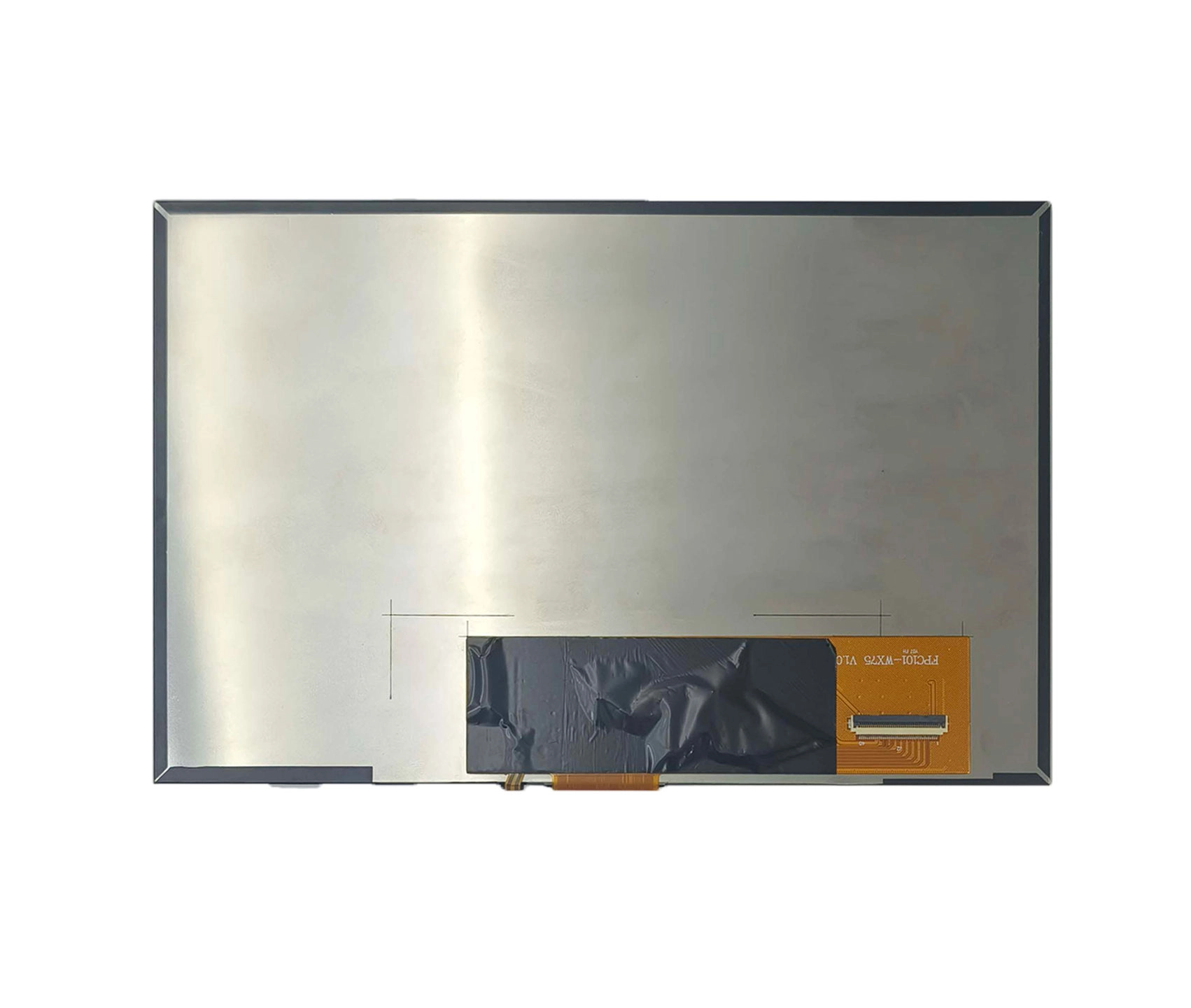
Before choosing an LVDS display, buyers should confirm single-channel or dual-channel LVDS, VESA or JEIDA mapping, connector type, cable length, voltage, resolution, and grounding requirements. For industrial automation or outdoor terminal projects, a 10.1 inch high-brightness LVDS industrial TFT LCD display can be used as a relevant reference when the project needs 10.1 inch size, 1280×800 resolution, LVDS interface, high brightness, and wide operating temperature support.
MIPI DSI for compact embedded HMI
MIPI DSI is often used in compact embedded display systems where the processor or SBC has native MIPI output. It is suitable for small-to-medium HMI devices, ARM-based systems, embedded Linux projects, smart terminals, and portable industrial equipment where short internal wiring is possible.
The main risk is assuming that “MIPI DSI” alone is enough. Engineers should confirm the lane number, D-PHY or C-PHY support if applicable, timing parameters, initialization code, FPC direction, operating system support, and touch controller interface. For SBC-based projects, a 10.1 inch MIPI DSI display for embedded HMI projects is a useful internal link target because it matches MIPI DSI, 1280×800 resolution, capacitive touch, and embedded system use cases.
eDP for modern panel PC and high-resolution embedded displays
eDP is often considered for modern x86 or ARM panel PC designs, high-resolution embedded displays, and applications where the platform already supports embedded DisplayPort output. It can be a good fit when a project needs higher resolution, a modern mainboard architecture, and cleaner internal display integration.
Before selecting eDP, confirm the lane count, resolution, backlight control method, BIOS or firmware support, cable design, and expected panel lifecycle. eDP should be evaluated based on the mainboard, not selected only because it sounds newer than LVDS.
HDMI for external video input and controller-board solutions
HDMI is usually a system-level video input rather than a direct bare-panel interface. It is common in monitor-style display solutions, ProAV systems, control-room panels, test stations, Raspberry Pi displays, and plug-and-play industrial displays.
If the buyer asks, “Can HDMI connect directly to a custom TFT LCD module?” the answer usually depends on whether a controller board is included. A bare TFT panel normally requires a panel-side interface such as LVDS, MIPI DSI, or eDP. HDMI may enter a driver board, and that board then drives the TFT LCD.
USB is usually for touch, not display signal
USB is frequently used for capacitive touch communication in industrial touch displays. It should not be confused with the video interface. In many display assemblies, the image signal may use LVDS, MIPI DSI, eDP, HDMI, or DP, while the touch signal uses USB or I2C.
This distinction matters when specifying an OEM TFT display module. A buyer should define both the display interface and the touch interface in the RFQ. Writing only “USB display” may create confusion unless the project is requesting a complete monitor-style solution.
Recommended Interface Combinations by Application
Factory equipment and industrial automation HMI
Factory equipment usually values stable operation, clear UI, easy replacement, and long-term product consistency. LVDS or eDP can be suitable for the display side, while USB or I2C may be used for touch depending on the controller and operating system.
For control cabinets, production equipment, test instruments, and rugged operator terminals, buyers should consider vibration, dust, moisture, 24/7 operation, cable fixing, and EMI near motors, relays, inverters, or power supplies.
Embedded Linux or ARM-based HMI
For embedded Linux or ARM-based HMI projects, the interface should start from the processor or SBC output. If the board supports native MIPI DSI, a MIPI DSI display may reduce internal wiring complexity. If the system uses an industrial mainboard or embedded PC, LVDS or eDP may be more practical.
Engineers should request display timing, touch interface details, mechanical drawings, FPC direction, and available driver support before sample approval.
Medical display and diagnostic equipment
Medical and embedded device buyers usually need stable supply, predictable replacement, clear documentation, and touch performance matched to the device enclosure. LVDS, MIPI DSI, or eDP can all be suitable, depending on the mainboard and product structure.
The decision should include lifecycle requirement, operating temperature, cover glass, optical bonding if needed, touch controller, and whether the supplier can support repeatable configuration during future production.
Outdoor and sunlight-readable industrial displays
For outdoor HMI, EV charging stations, kiosks, marine equipment, vehicle terminals, and sunlight-readable industrial displays, the interface is only one part of the decision. Brightness, optical bonding, cover glass treatment, backlight lifetime, operating temperature, and sealing design can be just as important.
LVDS or eDP may be used for the display signal, while USB or I2C may handle touch. The right combination depends on the mainboard, enclosure, cable distance, and installation environment.
ProAV and control-room systems
For ProAV systems, broadcast control rooms, and multi-screen operator stations, HDMI or DP input is often requested because the system connects to external video sources. However, the internal display panel may still rely on LVDS, eDP, or another panel interface behind a controller board.
Buyers should confirm whether the requirement is for a bare TFT LCD module, an open-frame monitor, or a complete display assembly with controller board and touch.
How to Prevent Interface Problems Before Sampling
Confirm the mainboard output before selecting a display
The safest starting point is the mainboard. Before requesting samples, confirm the processor, available display output, operating system, target resolution, power input, touch interface, and mechanical space. The display should match the system architecture rather than forcing the system to adapt later.
Check interface details, not only interface name
Interface names are not enough. LVDS requires mapping, channel, connector, and cable confirmation. MIPI DSI requires lane number, timing, and initialization information. eDP requires lane and backlight control confirmation. HDMI may require a controller board, EDID, and scaling. USB or I2C touch should be checked against the OS and controller driver.
Review cable, FPC and enclosure constraints
Many rugged HMI problems are mechanical as much as electrical. FPC exit direction, cable length, connector height, grounding, waterproof assembly, cover glass thickness, and housing structure can affect integration. These details should be reviewed before tooling or enclosure lock-in.
RFQ Checklist for Choosing an Industrial TFT LCD Display Interface
Information buyers should send to the display supplier
A clear RFQ should include the application, display size, resolution, brightness target, viewing angle, operating temperature, video interface, touch type, touch interface, mainboard model, operating system, cable length, connector direction, annual quantity, lifecycle expectation, and mechanical drawing if available.
If the project requires a non-standard size, cable structure, brightness level, cover glass, controller board, or interface combination, a custom industrial display solution with LVDS, MIPI, eDP, HDMI and USB options is more suitable than choosing a standard panel only by size.
Questions buyers should ask before approving samples
Useful questions include: Can the supplier match the display to the mainboard? Is FPC or cable customization available? Is a controller board needed for HDMI input? What touch interface is supported? Can the supplier provide drawing and interface documentation? What happens if the panel is discontinued? These questions help reduce repeat sampling and avoid late-stage redesign.
How to Choose the Right Display Supplier for Interface-Critical Projects
Supplier capabilities to check
For interface-critical projects, a supplier should be evaluated by engineering support, not only price. Buyers should check whether the supplier can support LVDS, MIPI DSI, eDP, HDMI-related controller solutions, USB or I2C touch, custom FPC and cable design, cover glass customization, optical bonding, wide-temperature options, and documentation for sample testing.
Why one-stop display customization reduces project risk
A supplier with TFT LCD modules, touch panels, interface matching, and customization support can reduce communication gaps between the panel, touch structure, controller board, and enclosure. Kadi Display is an industrial TFT LCD and custom display manufacturer based in Shenzhen, with product categories covering TFT-LCD, TFT-Touch, monitor displays, embedded solutions, Raspberry Pi displays, accessories, and customized displays.
For B2B buyers, the practical value is not only finding a matching panel. It is having one technical path for interface matching, touch integration, mechanical fit, and project-specific configuration before mass production.
استنتاج
A rugged HMI display interface should be selected from the full system view: mainboard output, display size, cable distance, EMI environment, touch interface, enclosure structure, lifecycle requirement, and supplier support. LVDS is often practical for stable industrial display connections, MIPI DSI fits compact embedded HMI, eDP suits modern panel PC platforms, HDMI is usually used through controller-board solutions, and USB is commonly used for touch.
For a more accurate recommendation, buyers can prepare the mainboard model, display size, resolution, brightness target, required interface, touch type, operating environment, mechanical drawing, application scenario, target quantity, and lifecycle expectation before contacting Shenzhen Kadi Display Technology., Ltd.
الأسئلة الشائعة
س1: Is LVDS or MIPI DSI better for rugged industrial HMI?
A1: LVDS is often suitable for medium and larger industrial displays, longer internal cable routes, and factory equipment where signal stability is important. MIPI DSI is usually better for compact embedded HMI projects when the mainboard supports native MIPI output and the display is connected through a short internal FPC.
Q2: How do I know which display interface is right for my panel PC project?
A2: Start with the mainboard output. If the mainboard supports LVDS, MIPI DSI, or eDP directly, choose a panel that matches the electrical and mechanical requirements. If the system needs HDMI input, confirm whether a controller board is required between the HDMI source and the TFT LCD module.
س3: Can HDMI be used to connect a custom TFT LCD module?
A3: HDMI can be used in many complete display assemblies, but a bare TFT LCD panel usually cannot be driven by HDMI directly. In most cases, HDMI enters a driver or controller board, and the board then outputs the correct panel interface such as LVDS, eDP, or MIPI DSI.
الربع الرابع: Is USB a display interface for industrial touchscreens?
A4: USB is usually used as a touch interface, especially for capacitive touch panels connected to industrial PCs or panel PCs. It normally does not replace LVDS, MIPI DSI, eDP, or HDMI as the image signal interface.
س5: What should I send to a display supplier before requesting samples?
A5: Send the display size, resolution, brightness target, video interface, touch type, touch interface, mainboard model, operating system, mechanical drawing, cable direction, operating temperature, application environment, target quantity, and lifecycle requirement. Clear information helps the supplier recommend the correct industrial TFT LCD display module or custom display solution.
السابق
How to Connect a Custom TFT Display Module to a ProAV or Control Room System: HDMI, LVDS, eDP, MIPI and USB
التالي
Automotive-Grade TFT LCD Displays: How to Choose a Rugged Screen for Harsh Vehicle Environments
اترك تعليق

آخر مدونة وأخبار
- How to Connect a Custom TFT Display Module to a ProAV or Control Room System: HDMI, LVDS, eDP, MIPI and USB
- How to Choose Display Interfaces for Rugged Industrial HMI and Panel PC Projects
- Automotive-Grade TFT LCD Displays: How to Choose a Rugged Screen for Harsh Vehicle Environments
- Industrial Touchscreen Displays for Kiosks, POS and Self-Service Terminals: How to Choose the Right TFT Touch Display
- LCD Display Connector Failure Modes: ZIF Lock, FPC Cable, Solder Joint, and Contact Wear