




MIPI Display Interfaces: Boost TFT LCD for Raspberry Pi & Embedded 2026
2026-05-15
00:00
Introduction
The world of embedded displays is experiencing a big change. Industries are shifting toward more intelligent, smaller, and power-saving setups. The old rule of parallel RGB and HDMI connections is fading. In their place comes MIPI Display Serial Interface (DSI). This switch goes beyond just quicker speeds. It focuses on growth potential and eco-friendliness too.
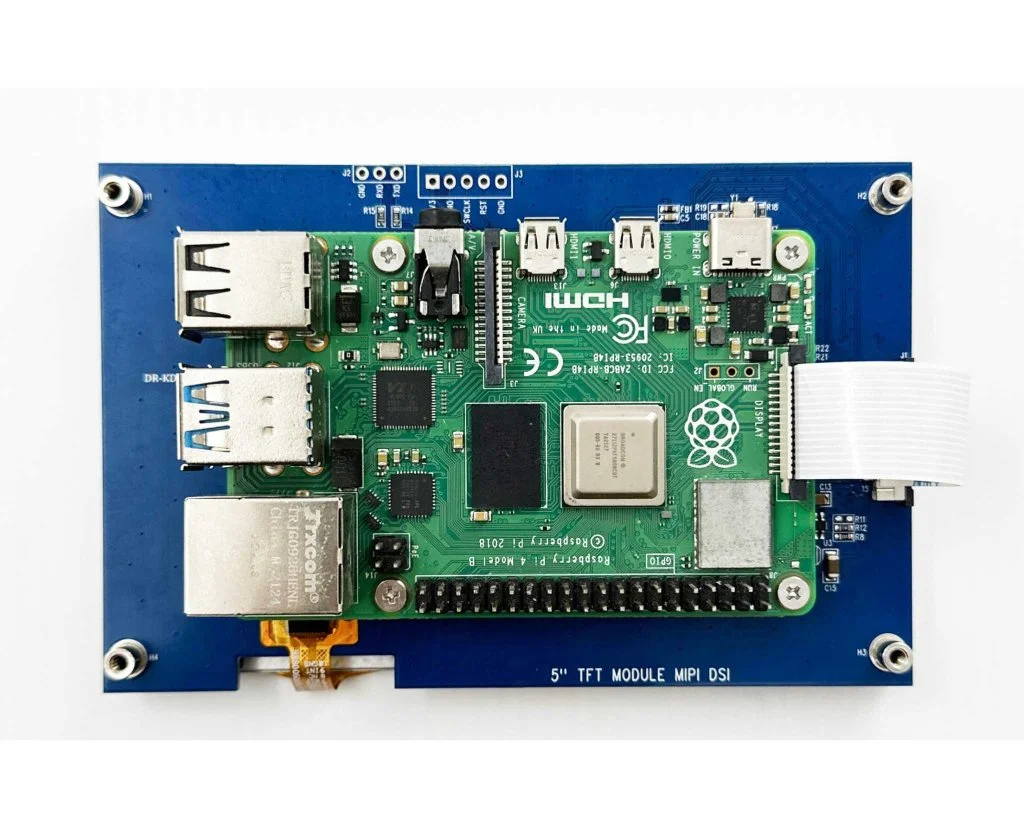
The year 2026 looks set to mark the “MIPI-First” time for factory design. This holds true especially in smart making and edge computing spots. There, each bit of power and space really counts. Older links like LVDS and HDMI hit their max when it comes to data flow and fitting tightly. Experts see that MIPI DSI gives a straight link to the GPU. It cuts down on energy waste from switches. Plus, it slashes power use a lot.
The MIPI DSI port on Raspberry Pi acts as a fast serial link. It ties LCD screens right to the Pi’s GPU. This setup sends display info with little power need. It fits well for tight, sharp-screen builds in built-in work and touch setups. Now, this idea spreads past fun boards into big industrial TFT LCD systems. It shows the link once used only in phones has grown into a work standard.
Key Advantages of MIPI DSI for Industrial TFT LCDs
The Industrial TFT LCD field always calls for steady work, sharp views, and long life. Adding MIPI DSI offers real perks. These fix the core wants directly.
High-Speed, Low-Power Transmission
MIPI’s paired signals handle many gigabits per second. Yet, they keep energy pull small. Unlike LVDS or HDMI, which need more volts and extra gear for changes, MIPI sends packed data straight from the SoC or GPU. So, screens refresh quicker. They also face less heat buildup. This matters a ton for panels running non-stop in factories.
Space Efficiency
Today’s built-in cases get tinier. Think of tools held in hand for checks or smart factory screens. Every bit of room counts. The move toward 15-pin and 22-pin ultra-thin FPC connectors allows engineers to integrate 5–15 inch panels seamlessly into compact enclosures without bulky cabling or connectors.
EMI Reduction
Places like factories, clinics, and travel spots buzz with electric noise. MIPI’s low-volt signals cut down EMI output way more than old parallel lines. That means clearer signals, fewer shielding requirements, and improved compliance with global EMC standards — all critical for certified industrial devices.
| Feature | MIPI DSI | HDMI/LVDS |
| Power Consumption | Low (sub-1V signaling) | Moderate to High |
| Connector Size | Compact (15–22 pin) | Large (40+ pin) |
| EMI Performance | Excellent | Moderate |
| Typical Use Case | Embedded & Mobile Systems | Consumer Displays |
Raspberry Pi Prototyping: Beyond the Official 7-inch Limit
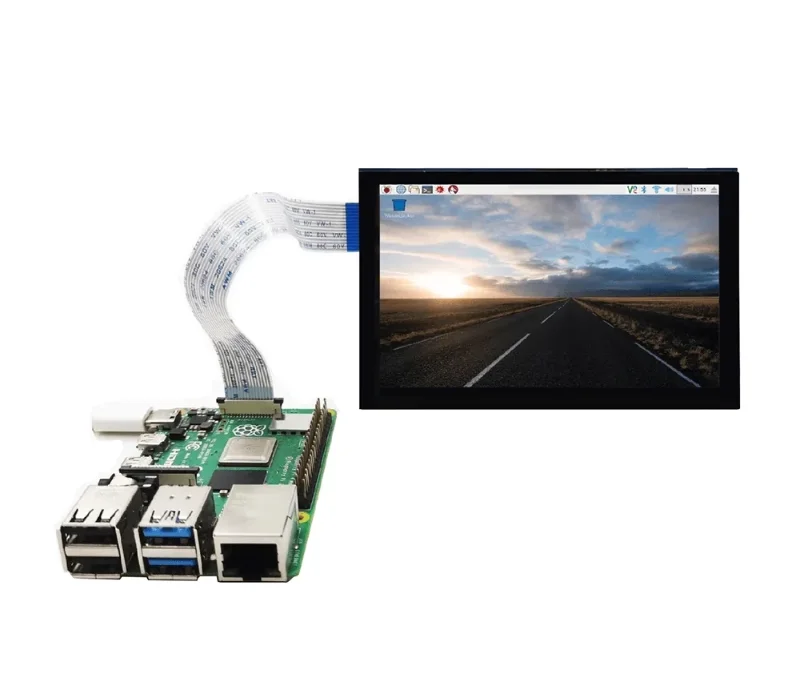
For many years, makers on Raspberry Pi stuck with the standard 7-inch screen add-on. Things have changed now. The Raspberry Pi 5 brings dual-lane and quad-lane MIPI DSI options. So, builders can test with bigger screens. Even setups with two screens work for fancy human-machine interfaces or dash controls.
This step links fun projects to pro-level tests. Folks can begin on a Raspberry Pi base. Then, they scale to made-to-order boards with NXP or ST chips. No full redo of the screen software needed.
On the software side, fresh Linux setups in 2026 manage Device Tree Overlays and KMS/DRM tools right out of the box for MIPI screens. Setup flows smoother. True easy-connect works across various hardware types.
Kadi Display Solutions: Custom Integration for 5–15 Inch Panels
Kadi Display leads this shift. They offer customized MIPI TFT modules made just for built-in settings.
Product Spotlight
-
5-inch (800×480) – Small shape perfect for carry-along tools
-
7-inch (1024×600) – Good middle size for control boards
-
10.1-inch (1280×800) – Bright choice for on-site checks
-
15.6-inch (1920×1080) – Full HD sharpness for plant control spots
Every unit handles steady runs in tough spots. Connectors resist shakes. Temps hold wide ranges. Backlights last over 50,000 hours.
The Customization Edge
Kadi Display gives matched FPC setups. These work with Raspberry Pi boards and pro SoCs like NXP i.MX8 or STM32MP1 lines. Builders can ask for special backlight power setups or touch control fits based on their job needs.
Case Study
One fresh install used a 10.1-inch high-brightness MIPI screen in a hand-held check tool for car shops. The new version weighed less. It gave off less heat than the old LVDS one. Still, it kept clear views in sun at above 1000 nits brightness.
2026 Embedded Trends: The Rise of Smart HMI
AI work at the edge joins forces with displays. This changes how screens play roles in built-in systems.
Edge AI Integration
Screens no longer just show output. They turn into spots to see live data from AI boosters like Google Coral or NVIDIA Jetson units right on board.
Optical Bonding & Durability
Build standards grow toward IP65-rated builds. These use light-glue methods. Such techniques boost view sharpness. They cut inner light bounces too. This fits key for outside stands or tough pads.
Sustainability in Displays
Built-in low-energy ways in MIPI DSI help Green IoT goals straight up. They trim total system power without losing speed. This grows as a big measure. ESG rules shape making plans more each day.
Conclusion
Selecting the right interface defines how long your hardware remains relevant in an ever-evolving ecosystem of embedded technologies. MIPI DSI isn’t just faster; it’s fundamentally more adaptable to compact designs and energy-conscious operations that dominate modern engineering requirements.
For teams planning their 2026 product roadmap, choosing a partner like Kadi Display means access to expert technical support and an extensive range of reliable industrial TFT LCD modules from 5 inches up to 15 inches — all optimized for seamless integration with Raspberry Pi or custom embedded systems.
FAQs
Q1: Can Kadi MIPI displays support the dual-DSI output on the Raspberry Pi 5?
A: Yes, our latest 5-inch to 10.1-inch modules are fully compatible with the Pi 5’s upgraded DSI architecture, allowing high-resolution dual-screen setups using standard adapter cables.
Q2: How does MIPI DSI handle video latency compared to HDMI in industrial applications?
A: MIPI DSI provides a more direct data path from GPU to panel than HDMI does, reducing latency since it avoids extra bridge chips common in embedded conversions.
Q3: What is the maximum cable length recommended for stable signal transmission on larger screens?
A: For most setups up to 15 inches, stable performance can be maintained over shielded FPCs up to around 20–30 cm; beyond that distance specialized bridge solutions may be required.
Q4: Do Kadi Display’s modules need specific Linux drivers?
A: Our panels use industry-standard driver ICs supported by mainline Linux kernels; initialization codes and Device Tree fragments are provided so setup is straightforward on Raspbian or Yocto-based systems.
Q5: How does power usage compare between a MIPI-connected TFT LCD display and an LVDS model?
A: Typically there’s about a 20–30% reduction in consumption thanks to lower voltage signaling levels inherent in MIPI architecture — ideal when designing battery-powered or thermally constrained devices.
PREVIOUS
Stretched Bar Type TFT LCD for Dashboards & Industrial HMIs
NEXT
TFT LCD Display: Essential Guide for Industrial & Medical Use In 2026
Leave A Comment

Latest Blog & News
- Native MIPI DSI vs LVDS or HDMI Bridge: An OEM Display Architecture Decision Guide
- MIPI DSI Display Driver Development for Embedded Linux What Hardware Buyers Need to Confirm
- Display Interface Bridge Conversion Limits: What a Bridge IC Can and Cannot Change
- Why LCD Screens Go Black Through Polarized Sunglasses and How to Prevent It
- How to Diagnose an LCD That Is Slow Flickers or Fails to Start in the Cold

