
Home
-
Blog & News
-
Why Does an LVDS Display Flicker in Industrial Equipment? Causes and Design Checks
Why Does an LVDS Display Flicker in Industrial Equipment? Causes and Design Checks
2026-07-17
10:25

An LVDS display flicker in industrial equipment usually means the display system needs to be checked as a complete signal chain, not just as a panel problem. In factory HMI, automation terminals, embedded control panels, vehicle systems, and rugged industrial devices, flickering may come from LVDS timing, VESA/JEIDA mapping, cable routing, EMI, connector stress, unstable power, backlight control, controller board mismatch, or a damaged display module. For engineers, maintenance teams, and B2B buyers, the goal is to identify the cause before replacing parts or approving a new sample.
What LVDS Display Flicker Usually Means in Industrial Equipment
Image flicker vs backlight flicker
Image flicker and backlight flicker should be distinguished at first place. Usually, the former takes the form of image shaking, color noise, horizontal stripes, black screens from time to time, and instability of the picture. The latter is usually perceived as light pulsation.
This differentiation is crucial for proper problem diagnosis since image flicker implies faults in the LVDS signaling, timing, cable, control board, and even panel connection itself. The backlight flicker implies faults related to the LED driver, PWM dimming, power and heat. Mixing up both cases can result in unnecessary panel replacement.
Intermittent flicker, horizontal lines, color noise and black-screen symptoms
Different symptoms suggest different checks. Intermittent flicker after installation may come from connector seating, vibration, cable stress, or grounding. Horizontal lines or color noise may indicate LVDS mapping, timing, cable, or signal integrity problems. A black screen that appears only after warm-up may require power, controller board, or backlight driver checks.
If the project is still comparing embedded display interfaces, LVDS vs MIPI for industrial TFT LCD displays can help clarify why LVDS is often selected for medium and larger industrial displays, longer internal cable routes, and stronger EMC environments.
Common Causes of LVDS Display Flickering
Wrong LVDS mapping, channel type or timing parameters
A frequent reason behind the flickering problem is the discrepancy between the display and the output from the controller. Buyers and engineers need to ensure proper VESA or JEIDA mapping, whether the display uses single or dual LVDS channels, 6 or 8 bit data, pixel clock, HSYNC or VSYNC polarity, refresh rate, and blanking.
It may happen that a display has the right size and resolution but yet continues to flicker due to the output of the controller which does not match the format needed by the TFT LCD display. These details should be verified against the product specification before sample approval.
Loose, damaged or poorly shielded LVDS cable
The LVDS cable, FFC/FPC connection, and board connectors are the most frequent causes of flickering in industrial devices. Vibration, maintenance, bend radius, connector corrosion, lack of strain relief, or excessive pressure from the cable in the enclosure may cause an unstable signal.
If moving the cable changes the flicker, the cable or connector should be checked before replacing the display module. Cable length, shielding, connector direction, and mechanical fixing should also be reviewed in the final machine layout.
EMI from motors, inverters, relays or power cables
Industrial environments often include motors, inverters, relays, switching power supplies, and high-current cables. If the LVDS cable runs close to these components, the display may show flicker, noise, or intermittent instability.
The practical check is simple: compare bench testing with the final installation. If the display is stable on an open bench but flickers inside the control cabinet, cable routing, shielding, grounding, and nearby power electronics should be reviewed.
Unstable power supply or backlight driver
Not every flicker is caused by LVDS data. If the whole screen brightness pulses, the issue may involve unstable power, backlight driver behavior, PWM dimming, or voltage drop during machine operation. In 24/7 industrial systems, power and backlight behavior should be checked under the real load, brightness level, and operating temperature.
Controller board, bridge IC or mainboard output mismatch
Many industrial systems use controller boards or bridge solutions, such as HDMI-to-LVDS or DSI-to-LVDS. Flicker may occur when the board output does not match the panel timing, LVDS format, voltage, backlight control, or resolution.
Before blaming the panel, engineers should confirm whether the controller board has been validated with the exact display module.
How to Diagnose LVDS Flicker Step by Step
Check whether the flicker changes with cable movement
Under safe test conditions, observe whether the flicker changes when the cable, connector, or enclosure is gently moved. A change usually points to cable seating, connector damage, cable stress, or vibration-related contact issues.
Compare test pattern, BIOS screen or static image behavior
A test pattern can help separate the source of the problem. If an internal test pattern is stable but the system image flickers, the issue may come from the host output, driver, firmware, or video timing. If the test pattern also flickers, the panel-side LVDS path, controller output, cable, power, or backlight should be checked.
Verify pixel clock, resolution and panel timing
Compare the actual output with the panel specification. Confirm native resolution, pixel clock, refresh rate, horizontal and vertical timing, LVDS channel type, and mapping format. Small timing mismatches can cause visible flicker, distorted image, wrong color, or unstable display behavior.
Test cable routing away from high-power components
If flicker appears only in the final machine, reroute the LVDS cable temporarily away from motors, inverters, relays, power supplies, and high-current wiring. If the display becomes stable, the issue is likely related to EMI, grounding, shielding, or cable path.
Separate panel defect from system integration issues
Cross-testing is useful. Test the display with a known-good cable, a known-good controller board, and a matching panel if available. This helps determine whether the root cause is the panel, cable, controller board, mainboard output, or installation environment.
Design Checks to Prevent LVDS Flicker Before Sampling
Confirm LVDS pinout, VESA/JEIDA mapping and single/dual channel
Before ordering samples, confirm LVDS pin assignment, VESA or JEIDA mapping, channel type, connector pitch, signal voltage, backlight connector, and touch interface if included. The same screen size and resolution do not mean the same electrical compatibility.
Review cable length, shielding, grounding and connector direction
Cable design should be reviewed together with the enclosure. Cable length, shielding, grounding, bend radius, connector direction, and fixing method may affect stability. These details are especially important in rugged panel PC, industrial HMI, and factory equipment applications.
Match controller board output to the TFT LCD panel specification
If the system uses a controller board, the output must match the panel. HDMI input does not mean the panel itself uses HDMI. The controller board may receive HDMI, DP, or another input, then output LVDS to the display panel. This signal chain should be confirmed before sample testing.
Validate the display in the actual industrial environment
Bench tests are useful, but final validation should include the real enclosure, cable route, power source, temperature range, vibration condition, and nearby electrical equipment. A display that works on a desk may behave differently inside a machine cabinet.
When Should You Replace the Cable, Controller Board or Display Module?
When cable replacement is enough
Cable replacement may be enough when flicker changes with cable movement, connector reseating, or cable routing. It may also solve problems caused by damaged FPC, loose connector locks, or worn cables in older equipment.
When controller board matching is required
Controller board matching is needed when the LVDS format, timing, resolution, backlight control, or channel configuration does not match the panel. This is common during retrofit projects, HDMI-to-LVDS integration, or replacement of an obsolete display.
When a custom LVDS display module is the safer option
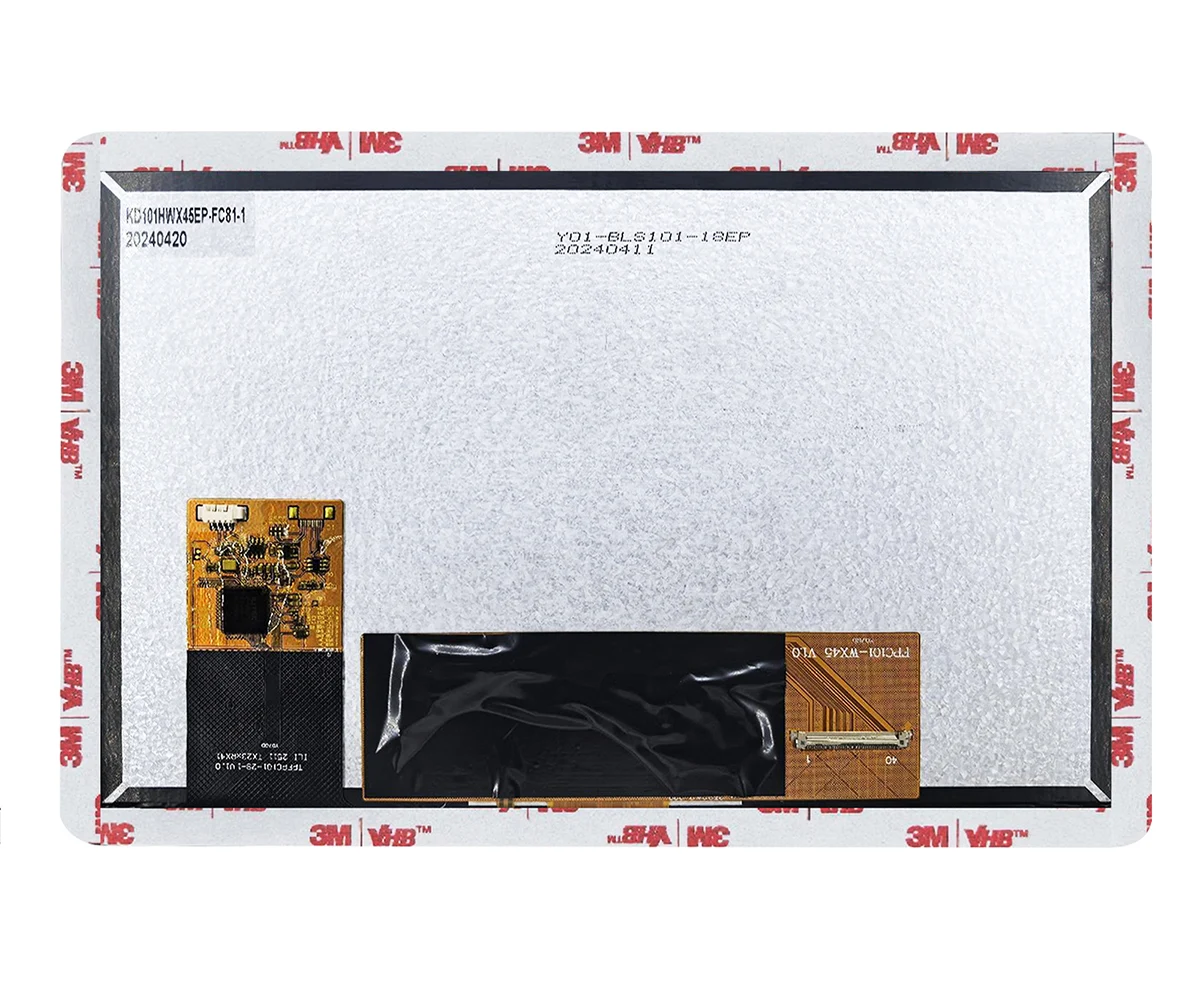
A custom LVDS display module may be safer when the original panel is obsolete, the enclosure requires a different cable direction, the pinout must match an existing controller, or the project needs touch, wide-temperature operation, high brightness, or interface customization. For reference, a 10.1 inch LVDS industrial TFT LCD with USB touch panel can support projects that require an LVDS interface, touch integration, and display customization checks before sampling.
RFQ Checklist for Industrial LVDS Display Projects
Information to send before requesting samples
A clear RFQ should include the current display model or drawing, display size, resolution, LVDS pinout, VESA/JEIDA mapping, single or dual channel, backlight specification, cable length, connector direction, controller board model, mainboard or SoC, operating system, installation environment, flicker photos or videos, target quantity, and lifecycle requirement.
Questions to ask your display supplier
Buyers should ask whether the supplier can match LVDS timing and mapping, customize FPC or cable direction, recommend a compatible controller board, support touch or cover glass requirements, and provide a replacement path if the original panel is no longer available.
For B2B projects, choosing an industrial TFT LCD and custom display manufacturer is useful when the display issue involves more than the panel itself. A qualified supplier should be able to review interface matching, cable structure, touch integration, controller board compatibility, and mechanical constraints. Kadi Display’s Shenzhen display manufacturer for industrial and medical display solutions page can be used to review company background before starting a technical discussion.
Conclusion
The LVDS screen flickering problem on industrial machines must be addressed as a system issue. Possible causes include LVDS timing, mapping, cable damage, EMI, unstable power, backlight behavior, wrong controller board, and panel issues. The best way would be to systematically troubleshoot the problem, ensure that the display complies with the panel specifications, and run tests in the actual working conditions of the system.
Regarding project review, Shenzhen Kadi Display Technology., Ltd. could review the following issues on the display for recommendation on a standard or custom display product: display size, resolution, LVDS pinout, cable direction, controller board, touch requirement, environment of use, drawings, samples needed, number required, and replacement targets.
FAQs
Q1: Why does my LVDS screen flash after installation?
A1: LVDS can flash after installation due to some change in cable stress, connector mating, grounding, EMI, or cable routing inside the enclosure from the bench test configuration. You should check cable, connector, controller output, and proximity of power circuits before replacing LVDS display.
Q2: Does EMI affect LVDS display flashing?
A2: Yes. In industrial machines, motors, inverters, relays, switching power supplies, and high current cable lines can interfere with the proper functioning of a display depending on how the LVDS cable is routed and grounded.
Q3: How do I know that the LVDS cable is at fault?
A3: If the screen flashing is affected by moving, re-mating, or shortening of the LVDS cable, or by changing its routing, you should first check the cable and connector for damage and improper grounding and shielding.
Q4: Can improper LVDS timing lead to screen flickering?
A4: Indeed. Improper pixel clock, refresh rate, HSYNC/VSYNC polarity, VESA/JEIDA mapping, single/dual-channel mode or blanking settings can lead to flickering, color noise, instability of the picture or black screen behavior.
Q5: Is it better to change the LVDS display or the control board?
A5: Changing the LVDS display should be done only after testing cable, control board, timing, mapping, power and backlight. Mismatch of control output to the panel can be solved by matching the board. If the panel is old or mechanically incompatible with the newer ones, a custom LVDS display might be better suited.
PREVIOUS
How to Calculate MIPI DSI Bandwidth and Data Rate per Lane for an Embedded Display
NEXT
MIPI DSI Display Not Turning On: Interface, Driver and Initialization Checks for Embedded HMI
Leave A Comment

Latest Blog & News
- Industrial LCD EOL: What Happens from Pre-Announcement to Replacement Mass Production?
- Electronic Component Obsolescence Management for Industrial Displays: An OEM Guide
- How to Develop a Production Ready Custom Display Assembly TFT Module Touch Cover Glass FPC Bonding and Mounting
- 15 Pin vs 22 Pin Raspberry Pi DSI Connectors Cable Pinout and Compatibility
- Native MIPI DSI vs LVDS or HDMI Bridge: An OEM Display Architecture Decision Guide